Controls & Settings in DAMNED
Move quietly, interact cleanly, and lock mute before the labyrinth listens.
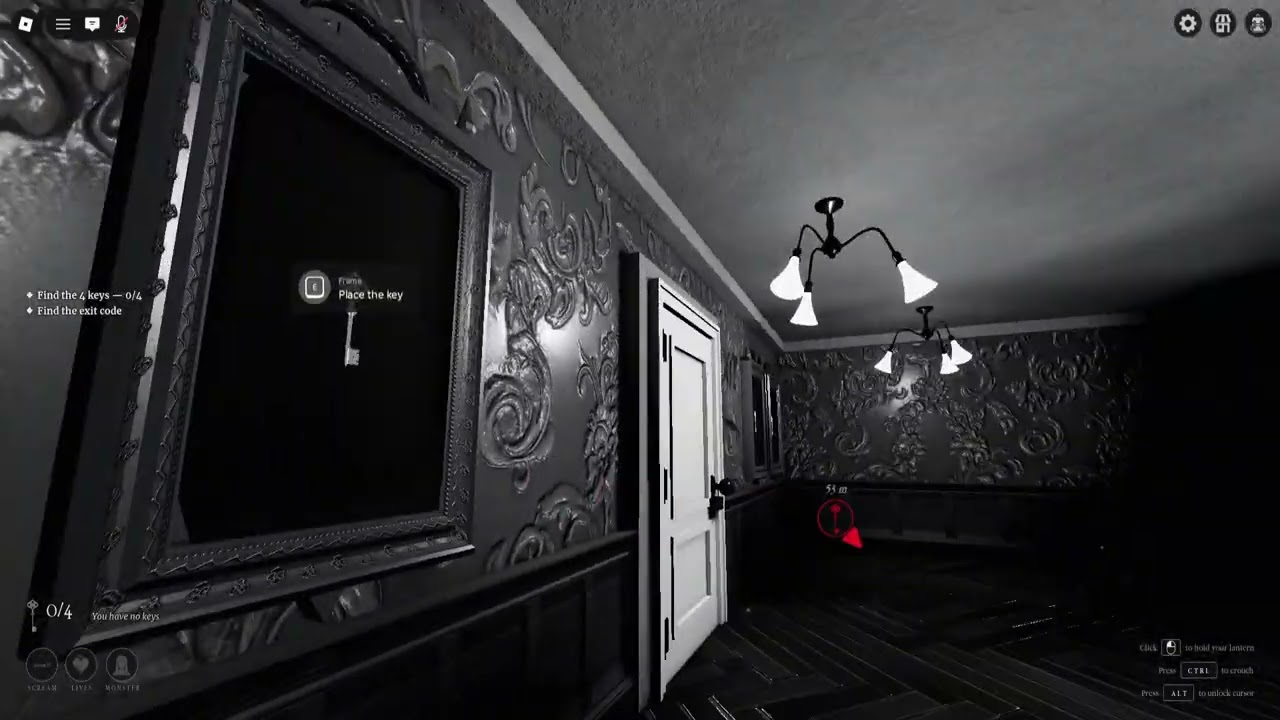
DAMNED [HORROR] by Ashlight Studio punishes noisy, clumsy input as hard as it punishes bad puzzle reads. This controls guide covers how to move, interact, watch your camera, and — most importantly — keep voice chat from getting your squad killed inside a regenerating labyrinth. Pair it with Getting Started, Voice Chat Tips, and the Survival Checklist before your next Story queue.
As of mid-November 2026 the experience sits near 1.7M+ visits with regular BETA updates (Roblox Updated timestamps around 13 Nov 2026). Controls themselves stay close to standard Roblox patterns; the skill gap is discipline, not exotic keybinds.
Core movement (keyboard & default Roblox)
| Action | Typical default | DAMNED habit |
|---|---|---|
| Move | WASD | Walk when searching; sprint only with a reason |
| Jump | Space | Avoid panic jumps near listen-sensitive creatures |
| Camera | Mouse | Sweep corners before entering rooms |
| Interact / prompt | E (or on-screen) | Confirm the prompt is the object you meant |
| Shift lock / camera modes | Roblox settings | Pick one mode and stick with it mid-run |
Roblox lets players remap some binds in Settings → Controls. If you change them, tell your co-op squad so callouts like “on E” still make sense. Controllers follow Roblox’s gamepad mapping; the same habits apply — slow sticks near scratched doors, no twitch-turning into SHE.
Interact discipline
Keys, drawers, windows, doors, and the gilded chest all compete for the same interact attention. Bad habits:
- Mashing interact while sprinting past a scratched door.
- Opening every drawer while talking on mic.
- Confirming EXIT prompts as if they were the Worthy finish.
Good habits:
- Stop moving for a half-second before interact.
- Read the prompt text — EXIT language is often a test, not freedom. Details in the Four Keys Walkthrough.
- In co-op, let the designated key carrier handle critical pickups when two players reach for the same key.
Voice chat is a control surface
Ashlight’s game text is explicit: monsters can hear your voice chat. Treat mute as part of your control scheme, not a social preference.
Pre-run mute checklist
- Open Roblox voice settings before the lobby fills.
- Mute by default; enable push-to-talk only if your squad agrees.
- Disable music / Discord overlay bleed into the same headset path if it leaks into Roblox VC.
- Agree on a one-word lexicon: “key,” “she,” “hold,” “mute.” Full sentences wait for safe rooms.
Platform UI may list Voice Chat as unsupported on some storefront cards while the experience description still warns that creatures hear VC — trust the in-experience behavior and Ashlight’s own copy. When in doubt, play as if every open mic is a flashlight for monsters. Deep habits live on Voice Chat Tips.
Camera & awareness settings
- Field of view / camera sensitivity: High sensitivity helps whip-checks in hallways; too high causes overshoot when lining up window puzzles. Practice in Story.
- Graphics: Lower particles and shadows if your frame rate tanks during chase pressure — input lag feels like bad controls.
- Headphones: Stereo headphones beat laptop speakers for footstep and creature audio tells tied to each monster’s one rule (Monster Rules).
Lobby & mode selection as “settings”
Before you touch WASD, pick the right lane:
- Story — learning controls under forgiving pacing.
- Rush — same binds, less forgiveness; only after Worthy practice (Story vs Rush).
- Nightmare — same controls, extreme pressure; read Nightmare Mode first.
Also join the Ashlight Studio group for the Supporter lantern/title when you want the cosmetic perk — steps on Supporter Lantern and Official Links.
Solo vs co-op control differences
Solo: You own every interact and every mic mistake. Ideal for learning camera paths and puzzle timing.
Co-op (up to 7): Extra eyes help, but seven open mics destroy runs. Assign who may talk, who holds keys, who watches halls — see Co-op Survival. Never “help” by narrating every drawer aloud.
Common control failures that end runs
- Sprinting into a listen rule while laughing on VC.
- Camera glued to the floor during red-window logic.
- Two players fighting the interact prompt on one key.
- Changing shift-lock mid-chase and losing orientation.
- Opening Roblox menus / codes mid-SHE pressure — redeem codes between runs via How to Redeem.
Practice routine (15 minutes)
- Mute VC.
- Queue Story solo.
- Walk the first rooms without sprint unless chased.
- Interact only after a full stop.
- Write one note: which creature rule punished you (Monsters Tier).
- Requeue or switch to a quiet duo.
BETA note on changing UI
Ashlight iterates during BETA. Button labels and lobby layouts can shift after an Updated-date bump. When the live client disagrees with this page, trust the build, then check Updates and November 2026 Refresh. Controls philosophy stays: quiet movement, clean interacts, mute-first voice.
Master the binds, then master the silence. The labyrinth already wrote your name — do not read it out loud for the monsters.
Frequently Asked Questions
Quick answers for survivors still trapped between life and death.
What are the default movement keys in DAMNED?
Standard Roblox WASD movement with mouse look. Remap in Roblox Settings if needed, then tell your co-op squad.
Should I sprint everywhere?
No. Walk while searching. Sprint when you have a clear reason — chase breaks, regroup, or known safe corridors.
Is mute part of controls?
Yes. Monsters can hear voice chat. Mute by default and treat push-to-talk as a deliberate tool, not background chatter.
Can I redeem codes during a chase?
Do not. Redeem between runs from a safe lobby. Opening menus mid-threat is a common wipe cause.
Where should beginners practice controls?
Story mode solo or with a mute-friendly duo. Move to Rush only after Judged Worthy attempts feel consistent.